Scheduling Automated Emails to be sent automatically.
When the email preference for a transaction/subsidiary is set to Automatic Bulk Send, you need to set a script deployment to send the emails at the time you require. Some customers prefer this approach, for example, to send at the end of the day, as it provides an opportunity for any mistakes or adjustments to be corrected prior to the email being sent out.
Overview
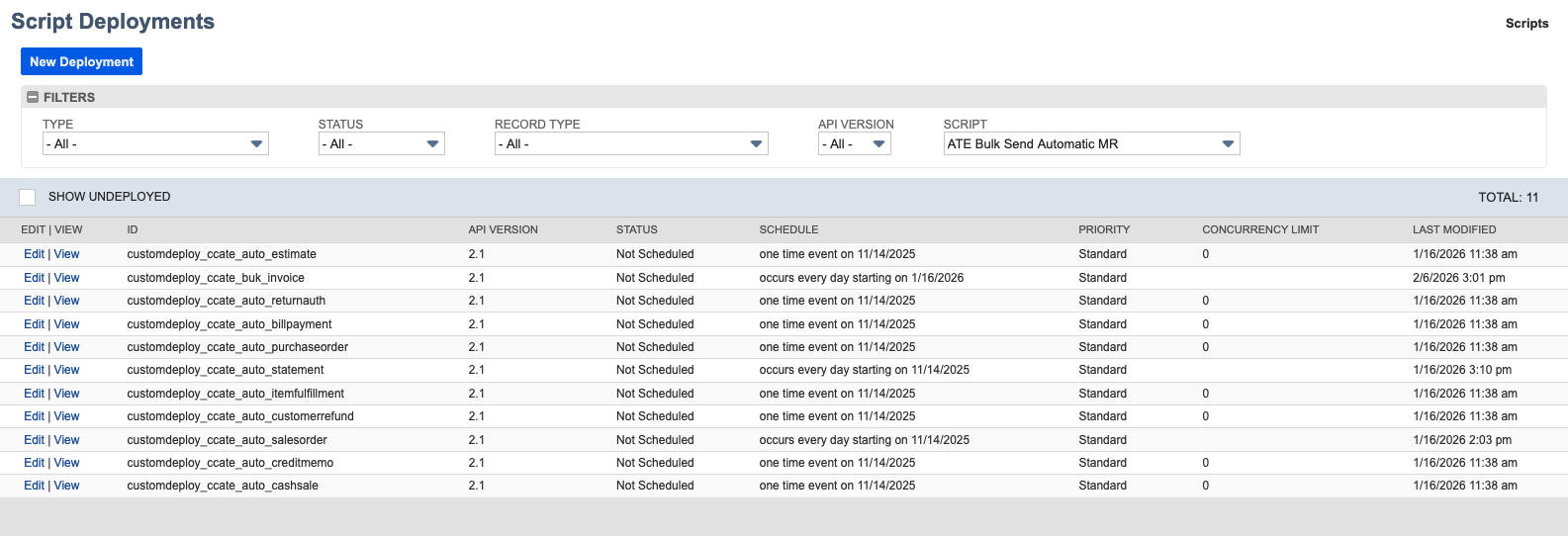
Setting the Automatic Bulk Send on any of the preference records will cause those transactions to be sent via a background bulk job. To configure the automation, type “ATE Bulk Send Automatic MR” into the global search. A default list of deployments will appear. On installation, there is 1 deployment for each record type, which is not scheduled.
Set the schedule
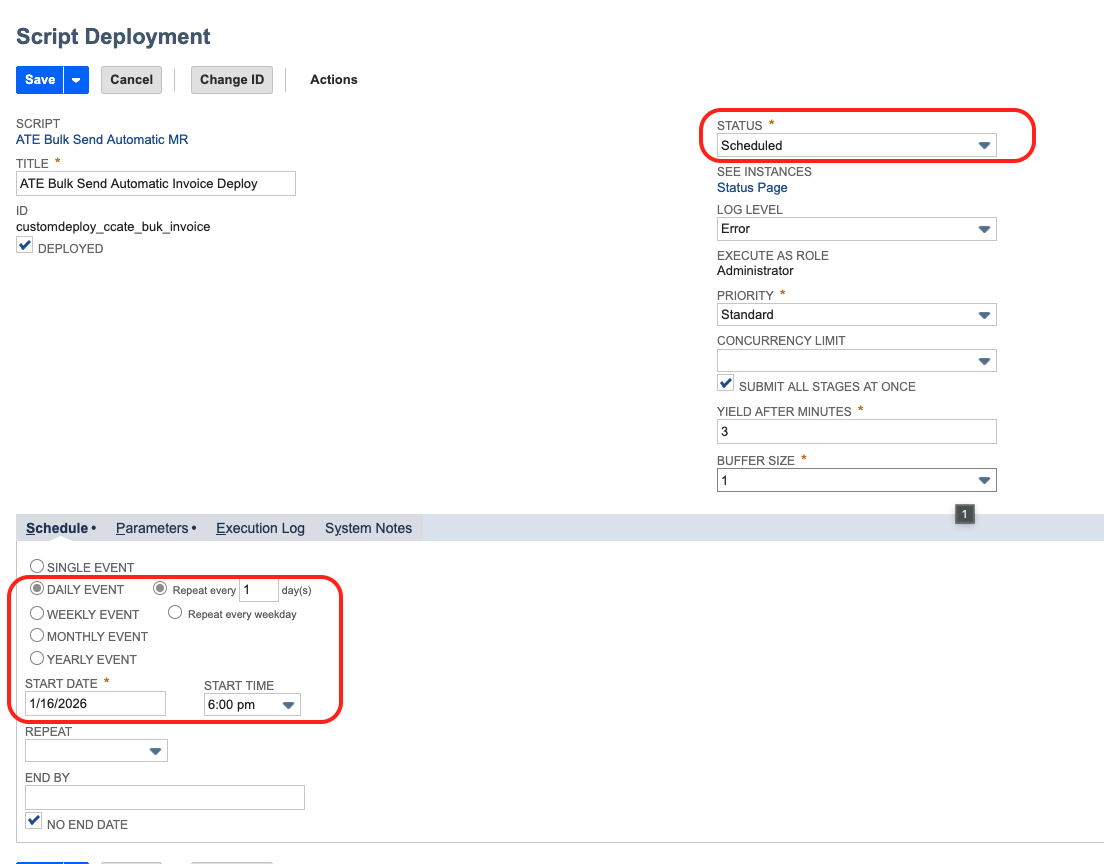
To set the time, change the schedule to suit your business requirements. Also set the Status to Scheduled,
For further information on scheduling scripts, refer to the Netsuite Scheduled Script documentation.
Parameters
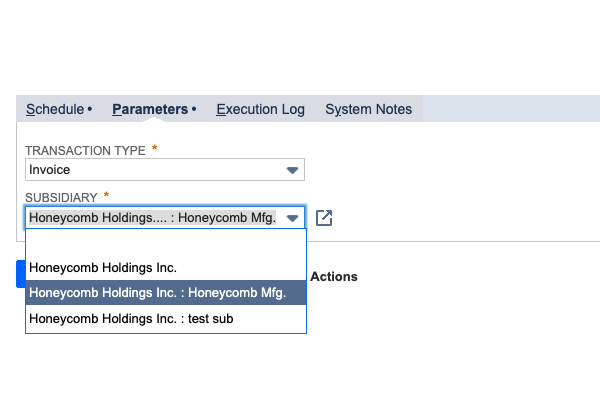
If you create a new deployment, you can update the parameters for the new subsidiary, giving you full control over automatically sending emails on a subsidiary-by-subsidiary basis.